2 minutes
BGP for OPNsense and Kubernetes
What is BGP actually and why does it make sense for k8s?
The Border Gateway Protocol (BGP) is a protocol used for exchanging routing information between Autonomous Systems (AS) within or across organizations, ISPs, larger networks etc. It is primarily used to determine the best path for routing data packets over the internet. In contrast to the traditional approach, it does not maintain a routing table but an adjacency database, making it better suitable for larger scale deployments.
Besides these large-scale deployments, it makes it also easier to maintain your k8s deployment as you can easily define routes for your internal services. Furthermore, it makes monitoring and troubleshooting way easier.
Configuration of OPNsense
Install os-ffr (System->Firmware->Plugins) as explained in the official wiki.
Afterwards, you can find the settings in Routing->BGP (ensure you activate BGP and Routing in General).
Next, we need to define our BGP AS (Autonomous Systems) number, whereby the private range is specfied from 64512 to 65535. In my case, I have chosen 64512.
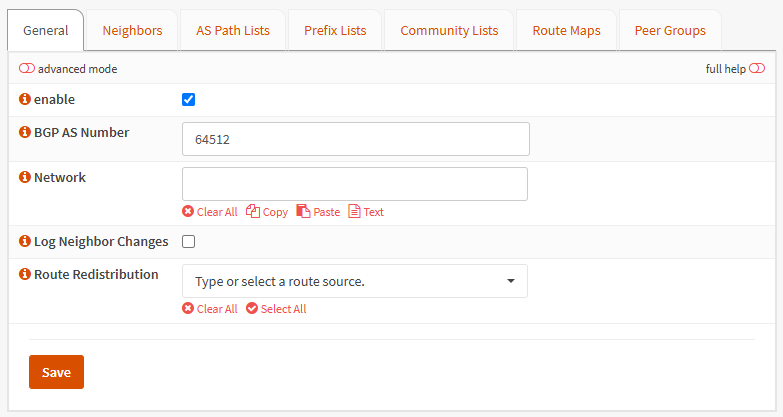
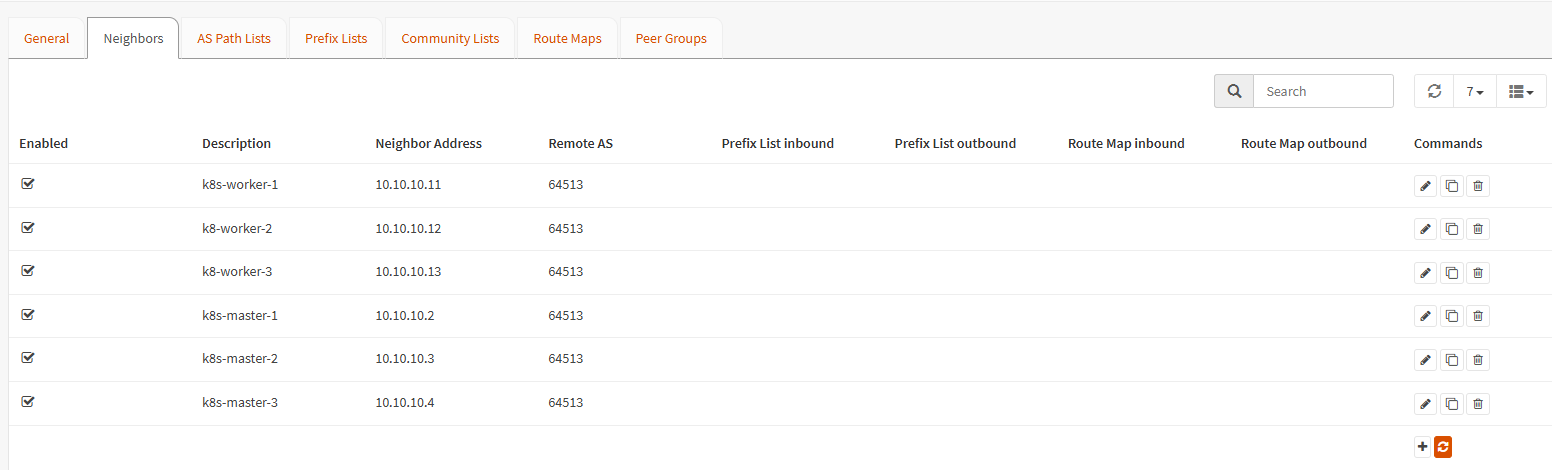
After we have defined our AS, we need to add our controlplanes and worker nodes to the AS so that routing works properly. Other settings within OPNsense do not need to be touched, but you can optimize routing by tweaking.
Configure Cilium
I deployed cilium using Helm, I am using the following settings that influence the routing:
bgp:
  enabled: true
  announce:
    loadbalancerIP: true
    podCIDR: true

securityContext:
  privileged: true

ipam:
  mode: kubernetes
So, we activate BGP and allow it to announce routes to our LoadBalancers and Pods (if exposed directly).
Additionally, we need to define a new ConfigMap that provides information about our BGP system so that Cilium can join the AS and announce the routes accordingly:
apiVersion: v1
kind: ConfigMap
metadata:
  name: bgp-config
  namespace: kube-system
data:
  config.yaml: |
    peers:
      - peer-address: 10.1.1.1
        peer-asn: 64512
        my-asn: 64513
    address-pools:
      - name: default
        protocol: bgp
        addresses:
          - 10.10.1.100-10.10.1.250
Basically, that’s all for the basic setup. Now you can define CustomRoutes within Cilium and your LBs can be easily exposed using BGP.